
Message templates and the 24-hour window
Inside 24 hours of a customer's last message you can reply with any message, no template needed (Meta's first 1,000 replies each month on each number are free, then about AED 0.06 each). After that, WhatsApp only allows pre-approved templates.
Step by step
1How the 24-hour window works
Every time a customer messages you, a 24-hour window opens. Your AI agent and your team can send any message in that time, and these replies are free.
2Outside the window, use a template
To message someone who hasn't written in 24 hours (a reminder, a follow-up, an offer), WhatsApp requires a template Meta has approved. ROSA's reminders and follow-ups use these automatically.
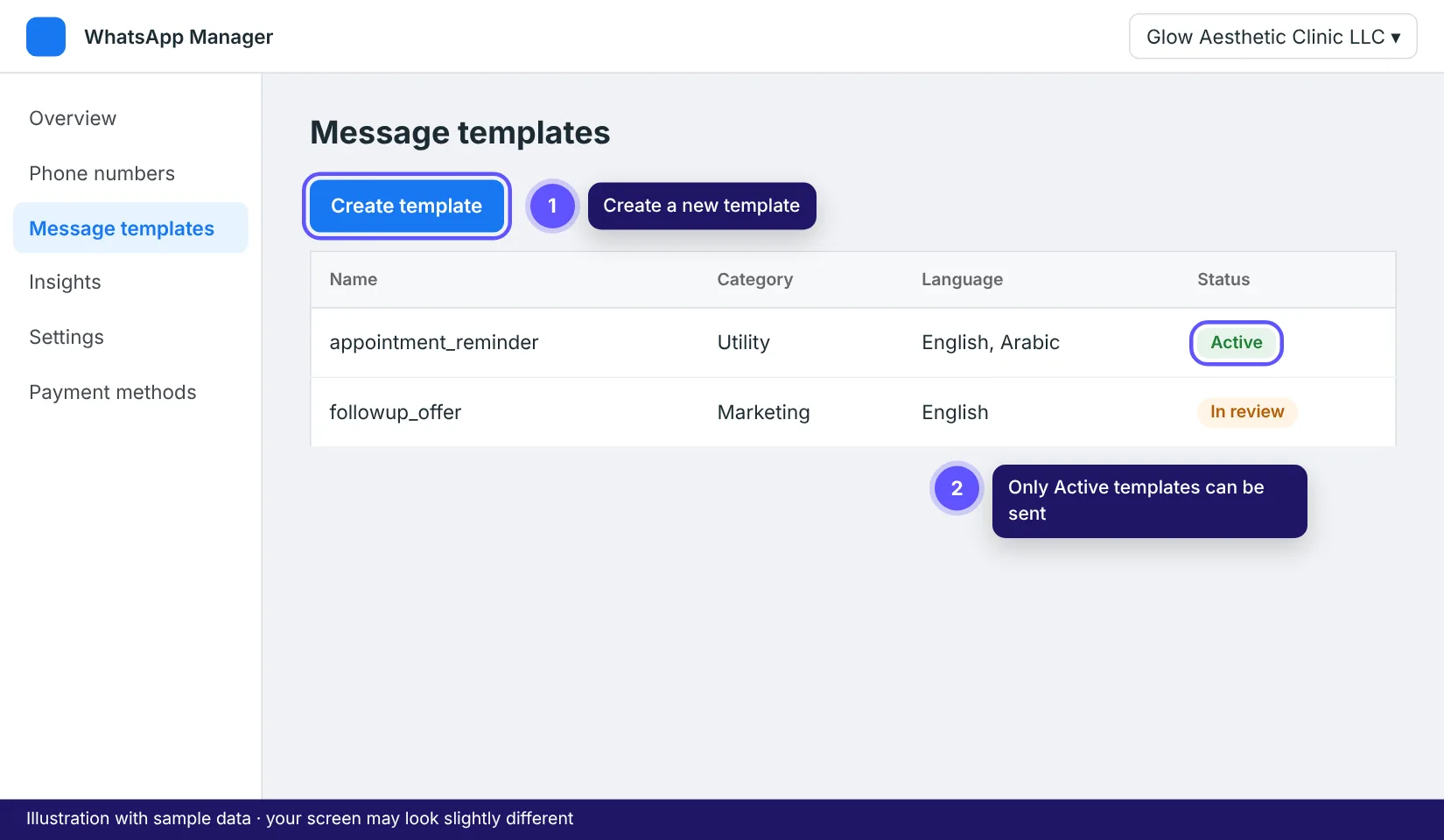
3Pick the right category
Utility: about something the customer already did, like a booking confirmation or reminder (cheapest). Marketing: offers, news, re-engagement. Authentication: one-time login codes. Choosing the wrong one is the top rejection reason.
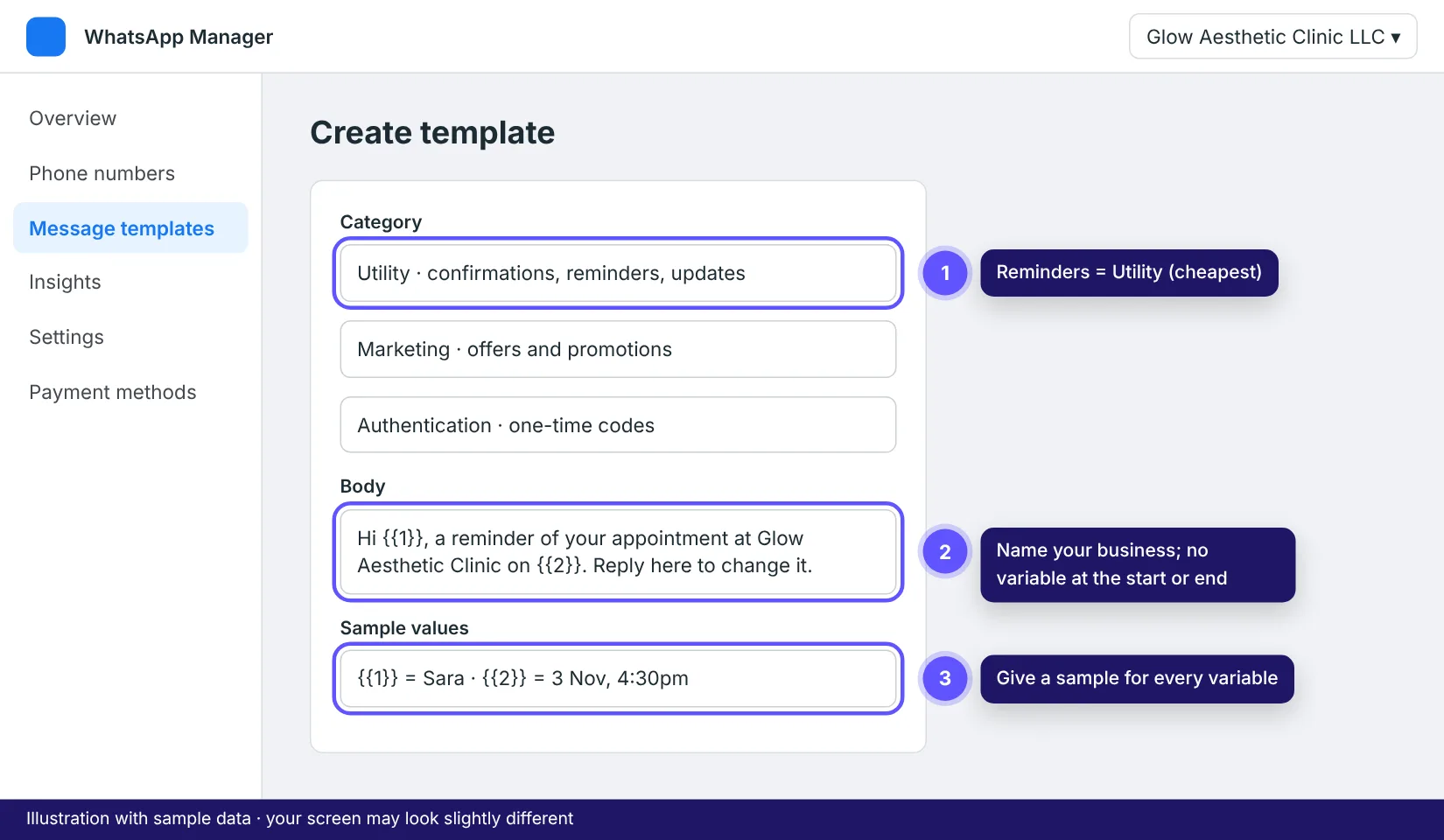
4Write it so it gets approved
Keep it short and clear, name your business, and use variables like {{1}} for the customer's name or time with a sample value. Don't start or end with a variable, and don't put two variables side by side. Approval usually takes minutes, sometimes up to 24 hours.
Tips that save time
- ROSA sets up your reminder and follow-up templates in English and Arabic for you. You only write your own if you want custom campaigns.
- People who reply STOP never get templates from you again. Keep marketing messages useful and not too frequent.